Showing posts with label Android. Show all posts
Showing posts with label Android. Show all posts
Wednesday, May 13, 2015
Transfer All SIM Card Contacts to Samsung P1000 Galaxy Tab Android 2.2 Froyo
Labels: Android, Contacts, Froyo, Galaxy, P1000, Samsung, Transfer 0 commentsThis is the steps on How to Import All the contacts from the SIM card to Samsung P1000 Galaxy Tab Android 2.2 Froyo. This is a simple tutorial on the steps of transferring SIM card contacts to your new Samsung Galaxy Tab.
Just simply,
1: Go to “Home” Screen, select “Applications” and then select “Contacts”.
2: Touch the “Menu” button, navigate “Import/Export” selection and select “Import from SIM card”
3: Touch “Menu” button and select “Copy to Phone” option.
4: Pick “Select All” > “Done”.
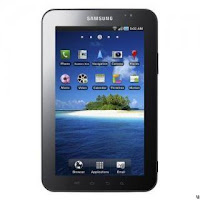 That's it! You have just successfully done importing all your contacts from your SIM card to your new Samsung Galaxy Tab.
Read more »
Just simply,
1: Go to “Home” Screen, select “Applications” and then select “Contacts”.
2: Touch the “Menu” button, navigate “Import/Export” selection and select “Import from SIM card”
3: Touch “Menu” button and select “Copy to Phone” option.
4: Pick “Select All” > “Done”.


Rooting LG Optimus 2X On Android 2.2 Froyo
Labels: Android, Froyo, Optimus, Rooting 0 commentsThis is another tips on how to root the LG Optimus 2X with Android 2.2 Froyo OS.
Disclaimer: You may proceed at your own risk. We are not responsible if your device gets bricked or damaged during the process.
First connect your LG Optimus 2X and via computer's USB port. You may also need to install LG Drivers on your computer.
1. Download Z4root App on to your computer and unzip the contents.
2. The z4root App comes in APK format. Install the App on your phone. If you are new for installation of APK format apps, follow our guide on how to install Off market Apps in Android phone.
3. After installation, launch the z4root app on your phone.
4. Z4 Root gives you two options of rooting. Tap on “Permanent Root”.
5. The app will automatically root your LG Optimus 2X.
Note: Many users have faced problem at this step. The device hangs up at first stage saying “Running exploit in order to obtain root access…”. If you are also struck up at this stage, simply reboot your device and launch the app again.
6. This will follow with following messages: “Acquiring root shell…” and “ Please wait while root operations complete…”. Don’t do anything at this point.
7. You phone will automatically reboot.
After reboot is complete, you will see a new icon “Superuser” in the screen. This means your device is successfully rooted. Enjoy!
See the complete methods on Dkzone .
Read more »
Disclaimer: You may proceed at your own risk. We are not responsible if your device gets bricked or damaged during the process.
First connect your LG Optimus 2X and via computer's USB port. You may also need to install LG Drivers on your computer.
1. Download Z4root App on to your computer and unzip the contents.
2. The z4root App comes in APK format. Install the App on your phone. If you are new for installation of APK format apps, follow our guide on how to install Off market Apps in Android phone.
3. After installation, launch the z4root app on your phone.
4. Z4 Root gives you two options of rooting. Tap on “Permanent Root”.
5. The app will automatically root your LG Optimus 2X.
Note: Many users have faced problem at this step. The device hangs up at first stage saying “Running exploit in order to obtain root access…”. If you are also struck up at this stage, simply reboot your device and launch the app again.
6. This will follow with following messages: “Acquiring root shell…” and “ Please wait while root operations complete…”. Don’t do anything at this point.
7. You phone will automatically reboot.
After reboot is complete, you will see a new icon “Superuser” in the screen. This means your device is successfully rooted. Enjoy!
See the complete methods on Dkzone .
Subscribe to:
Posts (Atom)

